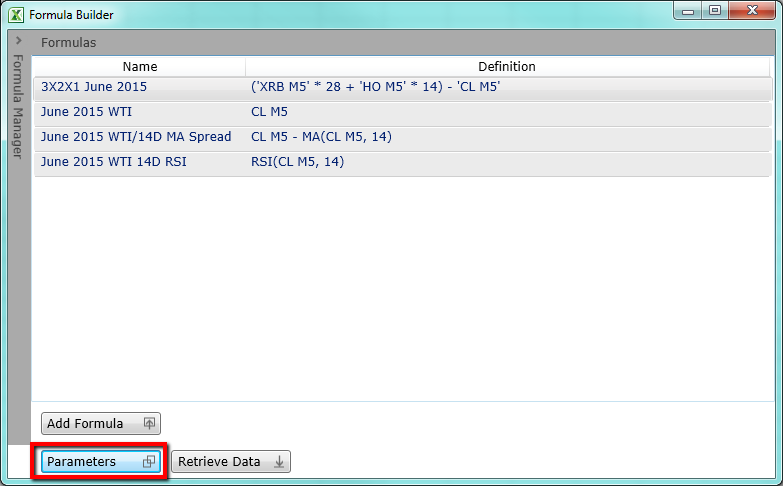
There are different parameters to help customize your Formula Time Series output. You can get to this dialog by clicking Parameters button on the main Formula Window.
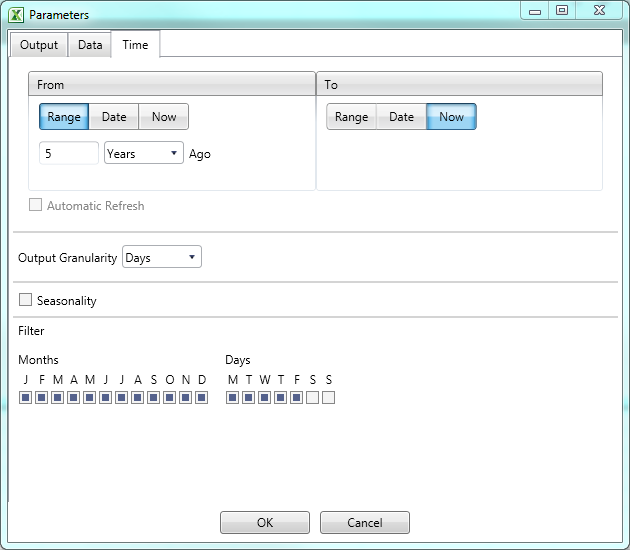
Time Tab
From / To |
|
Range |
Select to choose a period of time |
Date |
Select to choose a specific date |
Now |
Select to choose current day/time |
Automatic Refresh |
When enabled this allows the sheet to always display the most up-to-date values and dates of the selection |
Output Granularity |
|
Interval of time series data |
Options are minutes, hours, days, weeks, months |
Seasonality |
|
Option to display data seasonally |
Select to display time series seasonally |
Filter |
|
Months |
Select if you want to further customize your time series to omit months |
Days |
Select if you want to further customize your time series to omit months |
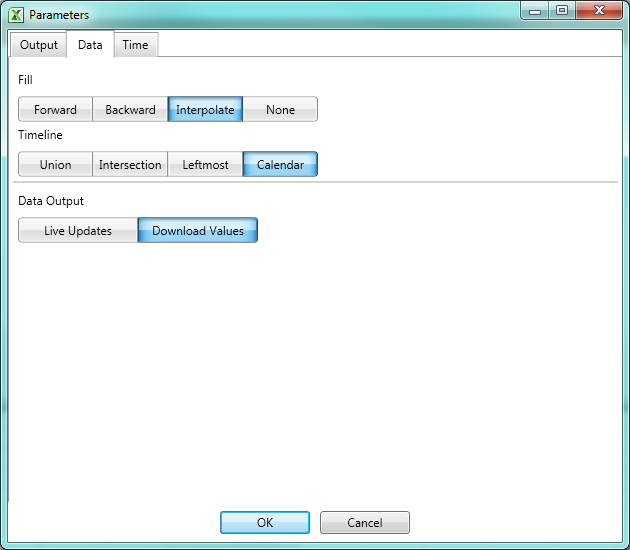
Data Tab
Fill |
|
Forward |
Fill's previous days data forward until there is another price available |
Backward |
Fill's data backwards until there is another price available |
Interpolate |
Creates synthetic values for a span of NaN values based on the last known value and the next known value by creating linear interpolated values between them. |
None |
No Fill is applied and weekends and holidays are empty |
Time Line |
|
Union |
Shows days when any of the selected datasets have a value |
Intersection |
Shows days when all of the selected datasets have a value |
Leftmost |
Shows days when the initial selection has a value |
Calendar |
Shows all days (default selection) |
Data Output |
|
Live Updates |
Will generate a live RTD function that will return data without the need to refresh the sheet |
Download Values |
Will return the current values of the request. Refresh options are used in order to update these values |
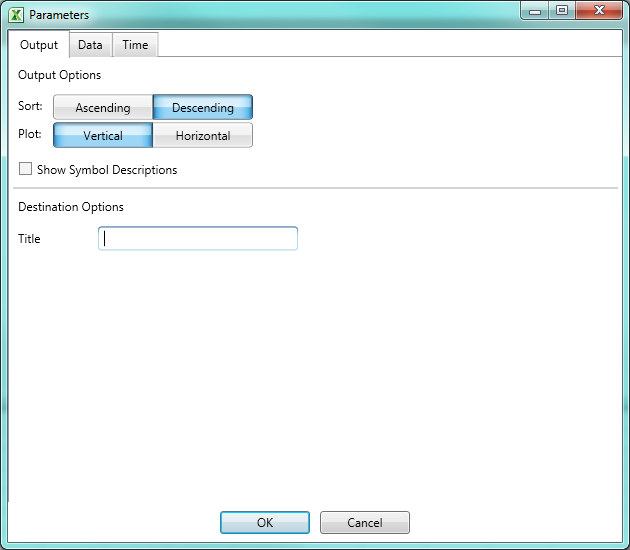
Output Tab
Sort |
|
Ascending |
Data will be filled to the worksheet in ascending order |
Descending |
Data will be filled to the worksheet in descending order |
Plot |
|
Vertical |
Fields will displayed vertically as rows |
Horizontal |
Fields will be displayed horizontally as columns |
Show Symbol Description |
Select to have Symbol Description as part of the time series output |
Destination Options |
|
Title |
The label to display in the cell which contains the Formula Builder Function |